

Celoxis publishes a steady stream of short vertical videos on YouTube, and each one is built around a single project management pain point: overbooked resources, a messy dashboard, a slow reporting cycle, a PMO that can’t prove its own value. Watched on their own, these are marketing clips from one vendor. Read alongside an evaluation framework, they double as short case studies in what to actually check before choosing project management software. This guide walks through seven of Celoxis’s videos, explains the underlying problem in each one, and connects it to a specific capability worth testing.
What to Look for While Watching
- Planning clarity — Can the platform turn a rough scope into a schedule stakeholders can actually follow?
- Schedule realism — Does the tool recalculate dates automatically when dependencies or resources shift, or does someone redo the plan by hand?
- Progress visibility — Can anyone tell, at a glance, whether a project is ahead, on track, or slipping against its baseline?
- Resource feasibility — Does the system flag overallocation before a commitment is made, not after a deadline is missed?
- Team collaboration — Can distributed contributors update status, share files, and comment without leaving the platform?
- Portfolio-level control — Can leadership compare projects side by side instead of stitching together separate status decks?
- Decision-ready reporting — Can a report be built once and reused, or does someone rebuild it in a spreadsheet every week?
Video 1: Celoxis PPM Software: Transform Your Resource Management and Capacity Planning
Watch the Short
What the Video Explains
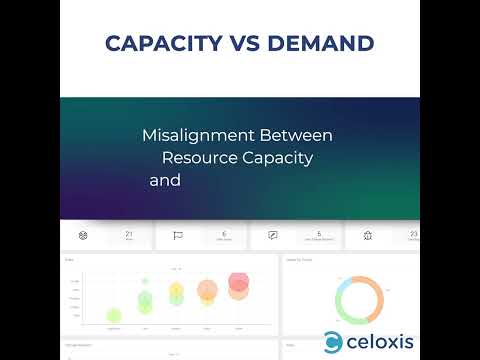
This 40-second short lists nine resourcing symptoms common in growing project organizations: overburdened or underused staff, unreliable forecasting, weak cross-team coordination, poor visibility into who’s actually available, friction onboarding freelancers, thin utilization reporting, capacity that doesn’t match demand, time zone delays, and blind spots into remote workloads. Rather than pitching one feature, it works through the list as a diagnostic before naming centralized resource tracking as the fix.
Why It Matters to Project Leaders
Most of these symptoms are organizational before they’re technical. They show up when resourcing decisions live in someone’s head, a shared spreadsheet, or several disconnected tools. Recognizing three or four items on this list is a sign the resourcing problem won’t be solved by a task list alone.
Software Capability to Evaluate
Resource management and capacity planning across multiple concurrent projects.
Buyer question: Before you commit a start date, can your current system show whether the people you’re assigning are already overbooked on other projects?
Video 2: Cyberlogic Reclaim 200+ Hours Annually?
Watch the Short
What the Video Explains
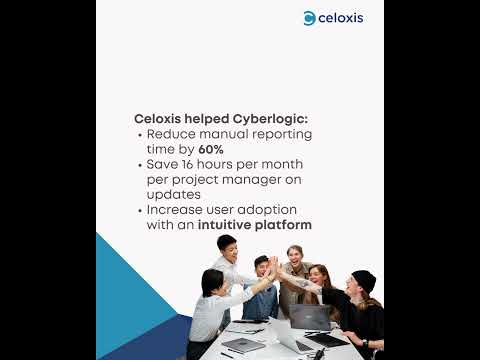
This short is built around a customer case study rather than a feature walkthrough. It cites Cyberlogic, described as a South African managed service provider, cutting manual reporting time by 60% and saving roughly 16 hours a month per project manager after adopting Celoxis. The framing: manual status consolidation is a recurring, quantifiable cost, and reducing it is a measurable return a PMO can point to when justifying a software change.
Why It Matters to Project Leaders
Hours spent assembling status updates by hand rarely appear as a line item, which is exactly why they survive budget reviews year after year. A specific before-and-after number, even from one customer, gives buyers a concrete way to estimate their own reporting overhead.
Software Capability to Evaluate
Automated status reporting and reduced manual consolidation.
Buyer question: How many hours does your team spend each month manually assembling project status from spreadsheets, email, and chat?
Video 3: Testimonial Video (Trading/Financial Services Customer)
Watch the Short
What the Video Explains
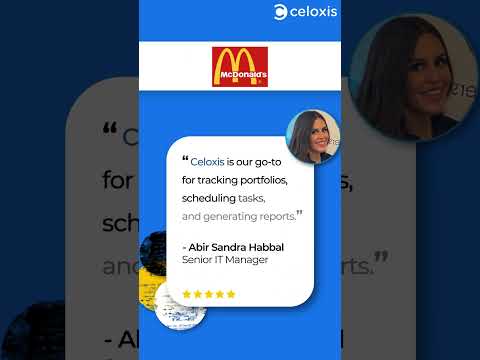
Verified detail here is limited. The title and hashtags point to a customer testimonial connected to a trading or financial services context, and the clip runs 22 seconds, but its on-platform description is YouTube’s generic boilerplate text rather than a unique summary. [Video summary requires manual review before publication] for the specific claims made by the speaker.
Why It Matters to Project Leaders
Customer testimonials are useful evidence in a buying process, but only when the claims are traceable to a named company and role. A generic testimonial clip is weaker evidence than a written case study with attributable numbers — which is itself a useful thing to know before you weigh a vendor’s testimonial page too heavily.
Software Capability to Evaluate
Reference-checking and case study depth as part of vendor due diligence (not a product capability, but a buying-process one).
Buyer question: When a vendor shows you a testimonial, can they connect you to the underlying case study with a named company, role, and measurable result?
Video 4: Messy Dashboards? Watch How Celoxis AI Transforms Chaos into Clarity
Watch the Short
What the Video Explains
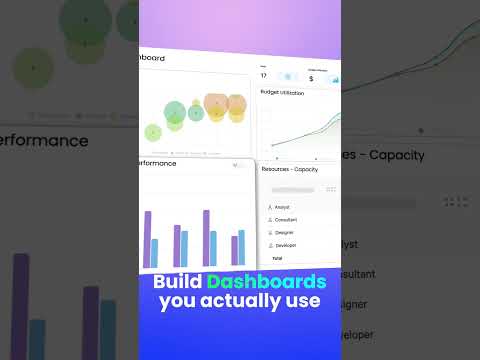
This 21-second short contrasts a cluttered, hard-to-read dashboard with a cleaner, AI-organized view inside Celoxis, pointing to customizable widgets, KPI selection, and AI-assisted summarization as the mechanism behind the change. Its YouTube description also makes broad market-position claims that go beyond what’s independently verifiable, so the useful takeaway is the problem it illustrates rather than the ranking language attached to it.
Why It Matters to Project Leaders
“Messy dashboard” is a symptom, not a root cause. It usually means the underlying data lives in several systems, or that one dashboard design is being asked to serve project managers, executives, and clients at once. Fixing it requires configurable views, not a redesign.
Software Capability to Evaluate
Configurable, role-specific dashboards with AI-assisted summarization.
Buyer question: Can each stakeholder — project manager, portfolio lead, executive — get a dashboard tuned to what they actually need to decide, without someone rebuilding it manually for each audience?
Do these challenges appear in your current project environment? See how Celoxis connects project plans, resources, risks, financials, and reporting in one platform.
Video 5: OKRs + Project Management = Strategic Execution
Watch the Short
What the Video Explains
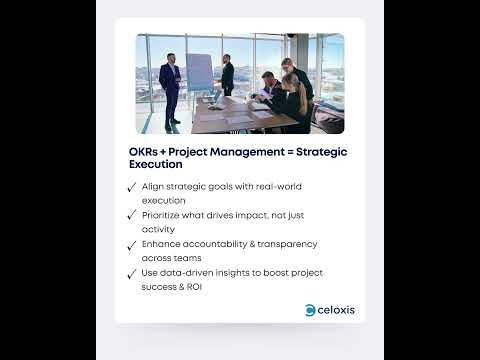
This 28-second clip argues that setting OKRs is the easy part; execution fails when priorities are misaligned, visibility is limited, or the tools in use are outdated. It points viewers to a longer guide on connecting OKRs to daily execution rather than demonstrating a product screen, treating strategy-to-execution alignment as its own capability rather than an afterthought.
Why It Matters to Project Leaders
Plenty of organizations track OKRs in a document completely separate from where the project work actually happens, so strategic goals and weekly task lists drift apart within a quarter. Closing that gap requires the project tool to expose which work ladders up to which objective.
Software Capability to Evaluate
Linking strategic goals or OKRs to specific projects, tasks, and portfolio reporting.
Buyer question: Can you trace a specific task back to the strategic objective it supports, without leaving the project management system?
Video 6: Struggling to Demonstrate Portfolio Value?
Watch the Short
What the Video Explains
In 24 seconds, this short names a specific PMO pain point — struggling to demonstrate portfolio value to leadership — and points to centralized portfolio dashboards, customizable reports, and ROI visualization as the response. It’s framed around booking a demo rather than showing a live walkthrough.
Why It Matters to Project Leaders
PMOs are frequently asked to justify their own existence in ROI terms, and doing that project by project, in separate documents, is slow and inconsistent. Portfolio-level reporting that rolls individual projects into one value narrative is one of the clearer differences between basic task tools and true project portfolio management software.
Software Capability to Evaluate
Portfolio-level dashboards and ROI or strategic-contribution reporting.
Buyer question: Can you produce one report showing how the current portfolio contributes to strategic goals, without manually combining data from individual project files?
Video 7: See a Quick Demo of Document Management in Celoxis
Watch the Short
What the Video Explains
This 18-second clip is the most straightforward product demo in the set. It shows centralized document storage, version control, and sharing inside Celoxis, with no case study or statistic attached.
Why It Matters to Project Leaders
Document sprawl — several versions of the same file circulating over email, no single source of truth for specs or contracts — is a mundane but persistent cause of rework. It rarely drives a software purchase on its own, but it’s worth checking during any evaluation.
Software Capability to Evaluate
Centralized document storage and version control tied to specific projects and tasks.
Buyer question: Can every team member find the current version of a project document without asking a colleague or searching email?
What These Seven Videos Reveal About Project Management Software
None of these seven clips, on their own, tells you which project management software to buy — they were produced by one vendor to illustrate problems that vendor solves. But the underlying problems are real and apply regardless of platform: resource visibility, reporting overhead, dashboard clarity, strategy-to-execution alignment, portfolio-level value, and document control show up in most growing project organizations.
The right platform isn’t simply the one with the longest feature list, the most attractive interface, the lowest price, the most AI claims, or the largest number of integrations. It needs to fit your project complexity, portfolio size, resource structure, reporting requirements, governance model, financial controls, integration needs, deployment preference, and adoption capacity.
How Celoxis Connects Planning, People, and Portfolio Decisions
Connected planning and tracking. Celoxis lets teams build project plans with dependencies, milestones, and baselines, then track actual progress against those baselines rather than a static plan that nobody updates. Automatic scheduling recalculates dates when a dependency shifts — a direct answer to the schedule-realism point above.
Resource and capacity visibility. Resource allocation, capacity planning, and overload alerts are visible across projects, not just within one, which speaks directly to the resourcing symptoms in the first video: overbooked staff, thin utilization reporting, and blind spots into distributed workloads.
Portfolio, financial, and governance control. Portfolio dashboards, project accounting, and centralized risks, issues, and change requests (RAID logs) give PMOs a way to answer the “demonstrate portfolio value” question with numbers instead of a narrative stitched together after the fact.
Reporting and AI-assisted insights. Configurable, scheduled reports and Celoxis’s AI assistant, Lex, let different stakeholders query and receive project data in the format they need — the practical version of the dashboard clarity the fourth video gestures toward.
Celoxis brings these controls into one connected platform, which reduces the number of separate tools a PMO has to reconcile at reporting time. Role-specific dashboards and configurable workflows can make information easier for different stakeholders to consume, and scheduled reports can cut down on the manual status assembly the Cyberlogic case study was built around. None of that means Celoxis is the easiest tool on the market, requires no training, or guarantees fast adoption — buyers should validate usability with their own projects, roles, and reporting requirements.
A small team managing a few straightforward projects may need only task management software. Celoxis is better suited to organizations that need deeper portfolio, resource, financial, workflow, and reporting capabilities than a basic task tool provides.
Evaluate Celoxis using one real project, one shared-resource conflict, and one executive reporting requirement. Request a personalized demonstration instead of relying only on a generic product tour.

Project Management Software Video Takeaway Checklist
- Can the platform manage dependencies and schedule changes?
- Can it show actual progress against a baseline?
- Can it identify resource overload before deadlines are committed?
- Can it compare capacity across multiple projects?
- Can risks, issues, and changes follow defined workflows?
- Can leaders see project and portfolio health?
- Can reports be customized for different stakeholders?
- Can the system reduce manual status consolidation?
- Does it integrate with existing tools?
- Is it available in the required deployment model?
- Can teams test it using their real workflows?
10. Six FAQs
What should I learn before choosing project management software? Before comparing vendors, get clear on your own requirements: how many concurrent projects you run, whether resources are shared across teams, what level of portfolio reporting leadership expects, and whether you need cloud, on-premise, or both. Short vendor videos can highlight specific problems worth checking for, but they’re a starting point, not a substitute for mapping your own workflow first.
Which project management tools are suitable for managing multiple projects? Tools built for multiple concurrent projects typically support cross-project dependencies, shared resource pools, and portfolio-level dashboards — capabilities that basic task management software usually lacks. Enterprise project portfolio management software, including platforms like Celoxis, is generally built with this multi-project structure in mind, while lighter tools work best for a single team’s task list.
What is the difference between task management software and project portfolio management software? Task management software focuses on assigning and tracking individual to-dos, usually within one team or project. Project portfolio management software adds scheduling, cross-project dependencies, resource capacity planning, financial visibility, and portfolio-level reporting so leadership can compare and prioritize many projects at once, not just track tasks within them.
How can resource management software improve project schedules? Resource management software shows who is available, overbooked, or underused before a project start date is finalized, which prevents commitments that later slip due to resource conflicts. When capacity data is connected to the schedule directly, dependency changes and reallocations update automatically instead of requiring a manual re-plan.
Can AI project management software reduce manual reporting? AI features in project management software can summarize status, surface risks, and generate reports from live project data, which reduces time spent manually assembling updates from spreadsheets or chat threads. The measurable benefit depends on how deeply the AI is connected to actual project data rather than operating as a separate add-on.
Is Celoxis suitable for enterprise project management? Celoxis is built around project portfolio management: scheduling, resource and capacity planning, financials, risk and workflow tracking, and portfolio dashboards, with both cloud and on-premises deployment. It’s generally a better fit for organizations managing multiple interdependent projects than for a small team that only needs basic task tracking.