

What Is Workflow Management Software?
Think about what happens when a task moves from one person to another inside your company. Someone sends an email. Someone else updates a spreadsheet. A manager gets pinged on Slack. An approval sits in an inbox for three days because nobody followed up. That in-between space all that handoff friction that’s your workflow. And for most enterprise teams, it’s completely unstructured.
Workflow management software puts guardrails around that process. You define how work should move, who’s responsible at each step, what triggers the next action, and where things go when something gets stuck. Then the system handles the logistics automatically, so your team stops managing the process and starts actually doing the work.
At its core, a good workflow platform should answer three things your ops team ought to know in under a minute:
01 / PROCESS
What’s supposed to happen?
The defined steps, owners, and dependencies.
02 / STATUS
What’s actually happening right now?
Live status. Where things are stuck. What’s late.
03 / BOTTLENECKS
Where are we bleeding time?
The patterns and bottlenecks you’d never spot manually.
For small teams, this might sound like overkill. But once you’re running dozens of projects across multiple departments, with budgets and approvals and compliance requirements in the mix you need a system. Email threads don’t cut it.
Enterprise Workflow Management
Stop Letting Workflow Bottlenecks Hide in Email and Spreadsheets
Celoxis helps enterprise teams automate approvals, track portfolio workflows, manage resources, and keep every stakeholder aligned from one platform.
See Celoxis in Action Explore Workflow Management
Enterprise Reality
Why Enterprises Can’t Wing It Anymore
Here’s something worth sitting with: a 10-person startup can recover from a broken approval process pretty quickly. An enterprise with 500 people across four departments cannot.
At scale, workflow failures compound. A missed approval holds up a product launch. A resource conflict nobody spotted starves two projects at once. A compliance gap in an approval chain shows up in an audit six months later. The damage isn’t always immediate, but it accumulates fast.
The numbers back this up:
By 2026, 30% of enterprises will have automated more than half their operations. Most haven’t started yet which means the organizations moving now are building a lead that’s going to be hard to close.
of IT leaders say workflow automation is not optional for digital transformation. It’s the thing everything else depends on.
of businesses report real, measurable improvements in customer service after putting automation in place.
30%–200%
Companies automating core workflows are typically seeing ROI between 30% and 200% in the first year alone.
Those numbers are compelling, but here’s what they actually represent in practice four things that spreadsheets and email genuinely cannot do at enterprise scale:
Audit Trail
A paper trail that keeps itself.
In regulated industries, every approval needs documentation. Every handoff needs a timestamp. The problem with manual processes is that they depend on people remembering to document things, and people are busy. Good workflow software makes compliance automatic, not aspirational.
Visibility
Visibility across the whole operation.
When marketing’s timeline doesn’t connect to engineering’s resource schedule, launches get delayed and nobody saw it coming. A unified workflow platform shows you where all the threads connect and flags when something is about to snap.
Automation
Automation that actually does something.
Not just “send a reminder when a task is due.” Real enterprise automation means conditional logic, cross-system triggers, escalations that fire automatically when an approval stalls, and reports that land in inboxes on schedule without anyone compiling them.
Integrations
Integration with the tools you already use.
A workflow platform that lives in isolation is just another silo. The good ones plug into your ERP, your CRM, your finance tools, and your communication stack so data flows instead of getting manually transferred.
Evaluation Criteria
8 Things to Check Before You Pick a Platform
Before you sit through five vendor demos that all start looking the same, get clear on what actually matters for your organization. These eight criteria are what separate “looks great in a trial” from “actually works in production”:
Enterprise Workflow Platform Evaluation Checklist
What to evaluate and why it matters when things get complex
| What to Evaluate | Why It Matters When Things Get Complex |
|---|---|
| Automation depth | Can it handle conditional logic and multi-step triggers or does it just send notifications? |
| Portfolio visibility | Can leadership see across 50 or 200 active workflows in one place? |
| Custom dashboards and reporting | Are executive reports built-in, or do you spend Fridays manually compiling them? |
| Resource management | Does it track who’s overloaded before they miss a deadline or after? |
| Governance and compliance controls | Role-based access, approval chains, audit trails are these real features or checkbox items? |
| Integration depth | Native connectors to your ERP, CRM, HRMS or does everything need middleware? |
| AI and predictive features | Does it catch problems early, or only after you already know about them? |
| Support quality | When something breaks at 9pm, do you get a person or a chatbot routing you through a FAQ? |
Automation depth
Can it handle conditional logic and multi-step triggers or does it just send notifications?
Portfolio visibility
Can leadership see across 50 or 200 active workflows in one place?
Custom dashboards and reporting
Are executive reports built-in, or do you spend Fridays manually compiling them?
Resource management
Does it track who’s overloaded before they miss a deadline or after?
Choose the Right Platform
Need Workflow Automation That Connects to Resources, Budgets, and Governance?
Celoxis is built for enterprise teams that need more than task tracking — with portfolio visibility, workflow automation, resource planning, and financial governance in one place.
Enterprise Tool Rankings
The 5 Best Workflow Management Software for Enterprises (2026)
⚡ #1 Pick
G2 Rating: 4.6/5
1. Celoxis — Best for PMO-Grade Enterprise Workflow Management
Best for: PMOs, complex multi-project environments, and any organization where workflow management needs to connect directly to budgets, resource planning, and financial governance.
G2 Rating: 4.6/5
Let’s start with the thing that makes Celoxis genuinely different from everything else on this list.
Most workflow tools got built as project trackers first and then added automation features over time. Celoxis was built the other way around for organizations where workflows aren’t just about task completion, they’re about governance, financial accountability, and portfolio-level visibility. If you’re running a PMO or managing a project portfolio with real budget oversight, that difference matters enormously.
The workflow engine here is serious. PMOs can automate status routing, approval chains, milestone alerts, resource conflict detection, and stakeholder report delivery without writing a line of code, without hiring a consultant to configure it, and without buying premium add-ons to unlock the features you actually need. According to Gartner Peer Insights, everything ships out of the box. That’s rarer than it sounds.
Here’s what’s worth knowing about each core capability:
Automation
Custom workflow automation
Build multi-step workflows with conditional logic, automated actions, and cross-project triggers. Status updates, approvals, escalations, and notifications all flow automatically. If a milestone slips, the right people find out without anyone manually sending emails.
AI Planning
AI-powered resource planning
The platform watches your capacity across all active projects simultaneously, not just the one you’re looking at. It flags overallocation before it causes a missed deadline, and it suggests reallocation options when conflicts surface.
Dashboards
Real-time portfolio dashboards
These are fully customizable, not templated. An executive sees portfolio health at a glance. A project manager drills down to individual task status. A finance lead tracks budget burn across every active initiative. Everyone sees what they need from the same live data.
EVM
Earned Value Management (EVM)
Native SPI and CPI tracking built directly into the platform. This is a big deal. Every other tool on this list either doesn’t offer it or requires you to export data and run the numbers in a spreadsheet. Celoxis integrates it into the workflow itself.
Reports
Automated report delivery
Reports get scheduled, generated, and sent automatically. No one spends their Sunday night pulling together the Monday morning portfolio update.
Governance
Stage-gate governance
Formal phase reviews, structured approvals, and complete audit trails. For any team with compliance requirements, this isn’t optional.
Salesforce, QuickBooks, Google Drive, Slack, Jira, Microsoft Teams, and a REST API for custom ERP connections.
24×5 human support. Actual people. This matters more than it sounds when you’re dealing with a critical deployment issue.
This is the right fit if: You’re managing 20 to 500+ users across a complex project portfolio and your workflows need to connect to resource governance and financial tracking not just task completion.
It’s probably not the right fit if: Your team needs something simple and lightweight to manage a handful of projects with no budget tracking. Celoxis is built for depth. If your workflows are genuinely straightforward, there are lighter tools that’ll get you set up faster.

#2 Tool
G2 Rating: 4.7/5
2. Monday.com — Best for Visual, Cross-Team Workflows
Best for: Organizations rolling out workflow standardization across multiple departments, especially where non-technical adoption is a priority.
G2 Rating: 4.7/5
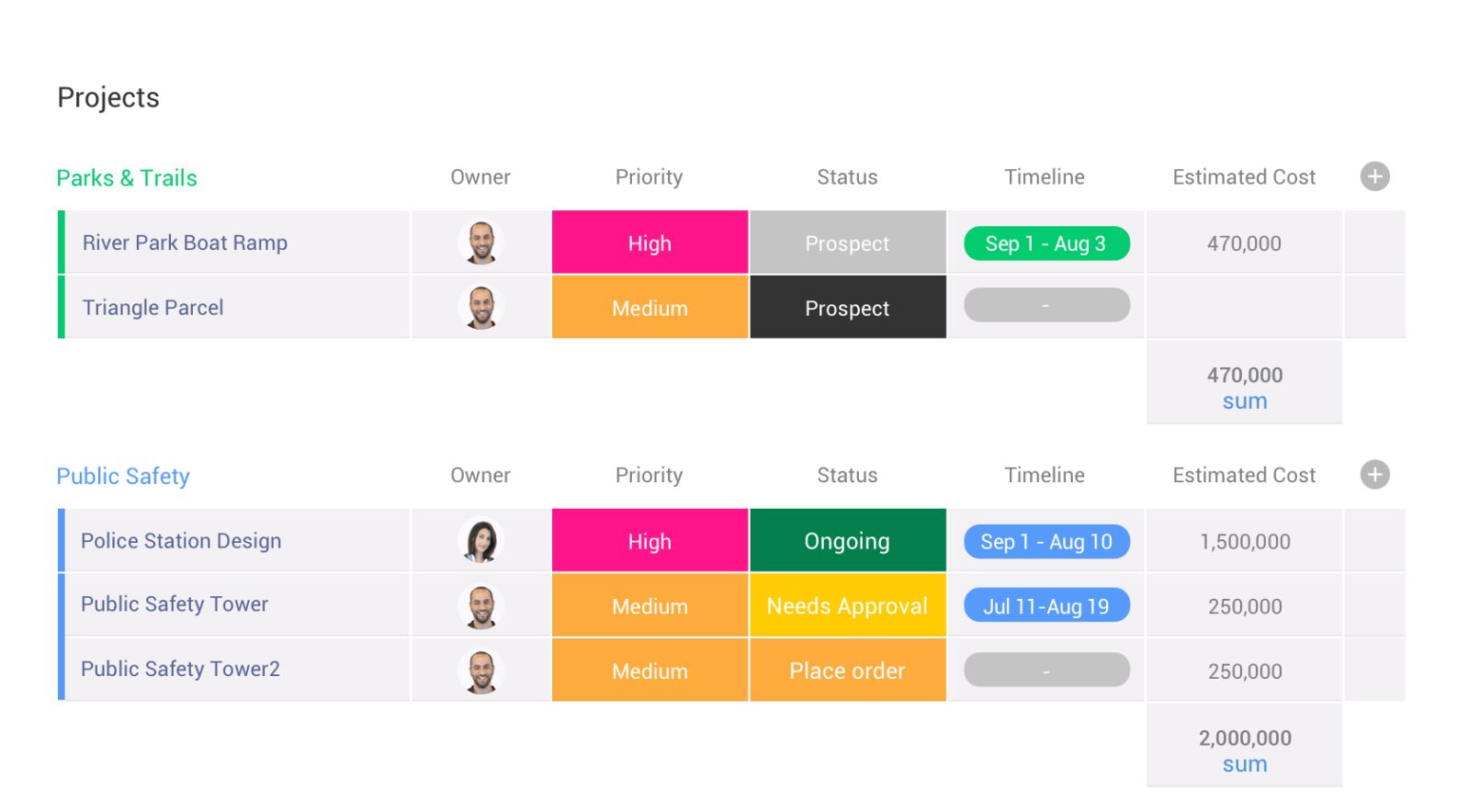
Monday.com calls itself a “Work OS,” and honestly, that framing fits. It’s the most visually intuitive platform on this list, and for cross-functional teams that need to get up and running fast without IT involvement it’s hard to beat.
Marketing teams love it. HR loves it. Operations teams love it. The boards are drag-and-drop, the templates are plentiful, and the learning curve is genuinely gentle. If your primary goal is getting 200 people to actually use a new workflow system without six weeks of training, Monday.com is your best bet.
Strengths
What it genuinely does well:
Visual Kanban, Gantt, timeline, and calendar views that different teams can adapt to their styles. A solid automation builder with conditional logic and connections to 200+ apps. Cross-departmental dashboards that aggregate board data without requiring manual report compilation. AI Sidekick for building automations in plain language — though this feature is credit-based on standard plans, so watch your usage.
Watchouts
Where it gets complicated:
Monday.com is excellent at making workflows visible and easy to manage. Where it starts showing its limits is when you need portfolio-level financial governance, native resource capacity planning across 30+ concurrent projects, or EVM for PMO reporting. Teams that try to force it into that use case typically end up supplementing with additional tools which adds cost and creates the exact data silos they were trying to avoid. Also worth flagging: the AI features are credit-based, which can get expensive at scale if you don’t watch it.
Pricing
Around $9/user/month on the Basic plan. Enterprise pricing is on request.
Bottom Line
If adoption speed and visual simplicity are your top two criteria, Monday.com is a strong choice. If you need PMO-grade financial controls in the same platform, it’ll leave gaps.
#3 Tool
G2 Rating: 4.7/5
3. Cflow — Best for AI-Powered Approval Workflow Automation
Best for: Mid-sized businesses and enterprises looking to automate approval workflows, standardize business processes, and eliminate manual approvals without extensive coding or IT dependency.
G2 Rating: 4.7/5
Cflow is an AI-powered workflow and approval automation platform built for organizations that want to replace spreadsheets, emails, and paper-based approvals with structured digital workflows. From HR and finance to procurement and operations, it helps teams automate approvals while maintaining visibility, accountability, and compliance across every stage of the process.
Its visual no-code workflow builder makes it easy to design approval processes without technical expertise. Multi-level approval routing, conditional logic, audit trails, document management, and AI-assisted document processing help organizations standardize operations while reducing delays and manual effort. The platform also integrates with business applications to keep workflows connected across departments.
Strengths
What it genuinely does well:
Easy-to-use no-code workflow builder that enables business users to automate processes without IT support. Flexible multi-level approval routing with conditional logic, AI-powered document processing, built-in audit trails, and workflow analytics. Strong support for HR, finance, procurement, vendor, invoice, and compliance approval workflows, along with integrations through Zapier and popular business applications.
Watchouts
Where it gets complicated:
While Cflow handles approval automation exceptionally well, organizations requiring highly specialized ERP capabilities, advanced financial planning, or industry-specific operational modules may still need dedicated enterprise applications alongside it. In these environments, Cflow works best as the workflow orchestration and approval layer connecting people, processes, and existing business systems.
Pricing
Paid plans start at $11/user/month. Enterprise pricing is available on request. A 14-day free trial is available.
Bottom Line
If your goal is to automate approvals, eliminate manual processes, and build business workflows without coding, Cflow offers an accessible yet scalable solution. Its combination of AI-powered automation, no-code workflow design, and flexible approval routing makes it a preferred choice for organizations looking to improve operational efficiency without the complexity of traditional BPM platforms.

#4 Tool
G2 Rating: 4.2/5
4. Wrike — Best for Compliance-Heavy Structured Workflows
Best for: Enterprises with rigid process requirements, regulatory environments, and the technical resources to handle a meaningful implementation.
G2 Rating: 4.2/5
Wrike is used by more than 20,000 companies, and it’s built a deserved reputation in industries where “who approved this, when, and with what authority” is not a nicety it’s a compliance requirement. Legal, finance, regulated manufacturing Wrike handles structured governance well.
Its folder-hierarchy system creates clear ownership and accountability at every level. The approval routing is sophisticated, the audit trails are solid, and the Blueprint templates for replicating standardized workflows across teams are genuinely useful for large organizations trying to bring consistency to how projects get run.
Strengths
What it genuinely does well:
Advanced workflow automation with custom request forms. Native proofing and creative asset review useful for marketing operations teams. A strong reporting engine. Blueprint templates that let you replicate a proven workflow structure across teams without rebuilding it from scratch every time.
Watchouts
Where it gets complicated:
The steep learning curve is the consistent theme across Wrike reviews, and it’s real. Getting workflows properly configured typically requires dedicated admins or an engagement with professional services. Teams without technical resources often find the time-to-value gap frustrating. Financial governance features also require premium tiers, and even then, native EVM support isn’t there.
Pricing
Free plan available. Paid plans start at around $9.80/user/month. Enterprise pricing on request.
Bottom Line
If you have the technical implementation resources and your organization runs compliance-heavy, structured workflows, Wrike is a solid fit. Just be honest with yourself about total implementation cost before you commit the ongoing admin burden is real.

#5 Tool
G2 Rating: 4.3/5
5. Weekplan — Best For Covey-Style Time Management
Best for: Goal-oriented teams and individuals who want to prioritize meaningful work over busywork.
G2 Rating: 4.3/5
Weekplan’s approach is to help users focus on what matters instead of simply checking off tasks. The software is built around Stephen Covey’s Time Management Matrix. It encourages users to organize work based on importance rather than urgency.
The software places long-term goals at the center of its workflow. You can set yearly objectives, break them into weekly and quarterly priorities, and then connect your daily tasks directly to those goals.
Strengths
What it genuinely does well:
Suitable for both personal productivity and small team planning. Stephen Covey’s Time Management Matrix makes prioritization effortless. It has a clean, distraction-free interface that is easy to navigate. Integrates with Google Calendar and other popular productivity tools.
Watchouts
Where it gets complicated:
While the basics are available in Weekplan’s free lite version, you’ll need a subscription to unlock more advanced features. These include OKR management and access to journal logs.
Pricing
Free plan available. Ultimate plan starts at $8.67 per month billed annually.
Bottom Line
Weekplan’s goal-first philosophy combined with the time management matrix makes it an excellent choice for freelancers and small teams that want to align their daily work with long-term objectives.

#6 Tool
G2 Rating: 4.4/5
6. Asana — Best for Marketing and Creative Teams
Best for: Marketing, creative, and operations teams running campaign workflows, content pipelines, and creative approval processes.
G2 Rating: 4.4/5
Asana has genuinely evolved. It’s not the simple task list it started as. In 2026, the AI Studio feature is probably its biggest differentiator you describe what you want in plain language (“When a task is marked urgent, assign it to the team lead and notify the Slack channel”) and the automation gets built for you. For non-technical teams that have always found workflow automation intimidating, this is a real unlock.
The interface is clean and approachable, onboarding is fast, and the collaboration features are purpose-built for creative workflows proofing, comments, task dependencies, and a polished approval flow. The 400+ integrations are a genuine plus, and they don’t count against your automation limits.
Strengths
What it genuinely does well:
AI Studio for natural-language workflow building genuinely impressive for non-technical users. A clean, low-friction interface that teams actually enjoy using. Strong task dependencies and collaboration tools. 400+ integrations that don’t eat your automation quota.
Watchouts
Where it gets complicated:
Asana is fundamentally collaboration-first. When teams try to stretch it into complex portfolio management, cross-project resource planning, or financial governance, the platform’s structural limits show up. Portfolio dashboards work well at the department level but don’t aggregate the way PMO teams need. Budget tracking and EVM aren’t native.
Pricing
Free for up to 10 users. Paid plans from $10.99/user/month. Enterprise pricing on request.
Bottom Line
If your team is in marketing, creative, or operations and you want smart workflow automation without a technical setup burden, Asana is excellent. For PMO-grade governance or complex financial oversight, you’ll need to look elsewhere or supplement significantly.

#7 Tool
G2 Rating: 4.7/5
7. ClickUp — Best for Feature-Rich, All-in-One Teams
Best for: Tech-savvy enterprise teams that want maximum flexibility, high customizability, and a single workspace that spans workflow management, docs, and communication.
G2 Rating: 4.7/5
ClickUp is genuinely impressive in terms of sheer feature volume. Fifteen-plus view types, native automations across all paid plans, custom fields, AI agents, built-in document management, and a highly flexible organizational hierarchy all in one platform. In independent testing, it ranked best-in-class for task management, workflow creation, and data visualization.
If you want a tool that can adapt to almost any workflow style and you have the technical chops to configure it properly, ClickUp has a compelling argument.
Strengths
What it genuinely does well:
Automation across all paid plans not locked behind a premium tier. Fifteen-plus views (Kanban, Gantt, Timeline, Workload, Table, and more) so different teams can visualize work their way. Custom AI Agent Builder for automating task execution across emails, reports, and workflows. A highly adaptable organizational hierarchy. SOC 2 Type II compliance with enterprise-grade permissions.
Watchouts
Where it gets complicated:
The same depth of features that makes ClickUp powerful is also what overwhelms most non-technical teams during onboarding. Organizations that skip proper setup through ClickUp University or consultant-led implementation often end up with cluttered, underused workspaces that don’t actually solve the original problem. For PMO-specific requirements like EVM, financial governance, and stage-gate controls, ClickUp requires third-party integrations or significant custom configuration. There’s also no phone support on any plan, which some enterprise teams consider a dealbreaker.
Pricing
Free plan available. Paid plans from $7/user/month. Custom enterprise pricing available. ClickUp Brain (AI features) adds $5/user/month.
Bottom Line
If your team is technically capable, willing to invest proper time in setup, and wants one platform that does almost everything ClickUp is worth serious consideration. For out-of-the-box PMO-grade financial governance without that configuration overhead, Celoxis is the stronger native fit.

Platform Comparison
Head-to-Head Comparison Table
Enterprise Workflow Management Software Comparison
Feature-by-feature comparison across Celoxis, Monday.com, Wrike, Asana, and ClickUp
| Feature | Celoxis | Monday.com | Wrike | Asana | ClickUp |
|---|---|---|---|---|---|
| Portfolio-Level Workflow Management | Full native | Limited | Moderate | Limited | Limited |
| Workflow Automation Depth | Advanced | Moderate | Advanced | Moderate | Advanced |
| AI Workflow Features | Predictive analytics + AI planning | AI Sidekick (credit-based) | Generative AI | AI Studio (unlimited) | Custom AI Agent Builder |
| Resource Capacity Planning | Full native | Basic | Moderate | Basic | Basic |
| Earned Value Management (EVM) | Native | No | No | No | No |
| Financial Governance | Full (budget, OPEX/CAPEX) | Basic | Moderate | None | Basic |
| Stage-Gate Controls | Yes | No | Partial | No | No |
| Custom KPI Dashboards | Fully custom, real-time | Customizable | Moderate | Moderate | Customizable |
| Audit Trails and Compliance | Full | Limited | Full | Limited | SOC 2 compliant |
| Enterprise Integrations | 20+ native | 200+ | 400+ | 400+ | 1,000+ via Zapier |
| Human Support | 24×5 real humans | Bot-first | Bot-first | Bot-first | Live chat, no phone |
| Best For | PMOs + enterprise portfolios | Cross-dept visual workflows | Compliance-heavy teams | Marketing + creative | Tech-savvy all-in-one |
| Starting Price (per user/month) | Competitive enterprise | ~$9 | ~$9.80 | ~$10.99 | ~$7 |
Swipe horizontally to view the full comparison on smaller screens.
For PMOs
Turn Workflow Data Into Portfolio Decisions
See approvals, resources, budgets, risks, and project health together — without forcing teams to manage work across disconnected tools.
Celoxis Advantage
Workflow Automation Built for Enterprise Governance
Automate approvals, stage gates, report delivery, resource conflict alerts, and portfolio updates from one PMO-grade platform.
Enterprise Workflow Pain Points
6 Workflow Headaches Enterprises Deal
These aren’t edge cases. If your organization is running 50 or more people on complex workflows, you’ve hit most of these. Probably more than once.
Headache 01
Approvals disappearing into email
Someone submits a request. It lands in a manager’s inbox. The manager’s swamped. Three days later, nothing has moved and nobody knows why. Workflow software fixes this by routing approvals automatically, sending escalation alerts when deadlines pass, and giving everyone a visible queue so nothing sits invisible in an inbox.
Headache 02
Teams working in complete isolation
Marketing’s launch timeline has no connection to engineering’s resource schedule. Legal doesn’t know the contract is needed by Friday. Everyone is working hard, but nobody’s working together. A unified workflow platform makes those interdependencies visible before they blow up a delivery date.
Headache 03
Nobody running the same process twice
In large organizations, the same type of project gets handled differently depending on who’s running it. That inconsistency makes it nearly impossible to identify what works, what doesn’t, and how to improve. Workflow templates and stage-gate enforcement bring consistency without taking away team flexibility.
Headache 04
Leadership flying blind
By the time a project status report gets compiled and emailed to the executive team, the data is already a week old. Real-time portfolio dashboards mean leadership can see what’s actually happening right now not what was happening last Thursday when someone finished the slide deck.
Headache 05
People stretched so thin nothing actually finishes well
When the same engineers, designers, or analysts are needed across six active projects simultaneously, something gives usually quality, or someone’s sanity. Workflow management with native resource capacity planning catches those overallocation conflicts before they turn into missed deadlines and burned-out employees.
Headache 06
Compliance gaps that only surface during audits
In regulated industries, undocumented approvals and missing decision records aren’t just inefficient they’re a legal exposure. A proper workflow management system creates a complete, timestamped audit trail of every action and decision automatically. Not as an extra step. Just as how the system works.
AI in Workflow Management
What AI Is Actually Doing for Workflow Management in 2026
The honest answer: AI in workflow management has moved past the hype stage, but it’s also not magic. Here’s what it’s actually doing in enterprise environments right now.
Predictive Risk
Spotting problems before you do
The most valuable AI application in workflow management isn’t building automations it’s watching patterns across your historical project data and flagging which workflows are likely to go sideways before they actually do. Instead of reacting to a missed deadline, your PMO gets an early warning three weeks out. That’s the shift from firefighting to proactive management, and it’s genuinely valuable.
Resource Planning
Making resource allocation less painful
Resource planning across a large project portfolio is one of those tasks that feels like it should have a better solution than “spreadsheet plus intuition.” AI tools can now analyze open tasks, available capacity, individual skills, and strategic priority together and suggest optimal assignments automatically. Not a perfect system, but significantly better than what most teams are doing manually.
No-Code AI
Letting non-technical teams build their own automations
Platforms like Asana’s AI Studio and ClickUp’s Agent Builder have made automation accessible to people who’d never have touched it before. Describe what you want in plain language. The system builds it. This matters because it removes the IT bottleneck and puts process ownership with the teams who actually understand the workflow.
Automation Productivity Impact
McKinsey estimate for global productivity boost from automation
0.8–1.4%
McKinsey estimates automation could boost global productivity by 0.8 to 1.4% annually and the compounding effect for organizations that build maturity here early is real.
One thing worth saying plainly: AI features vary enormously across platforms, both in capability and in how they’re priced. Credit-based AI systems that look affordable in a demo can get expensive quickly at enterprise usage volumes. Always pressure-test the pricing model against what you’ll actually use, not the smallest possible scenario.
Selection Framework
How to Choose Without Regretting It Later
No single platform is right for every enterprise. Here’s a practical five-step process that actually works as opposed to the usual “list your requirements and score vendors” approach that everyone ignores.
Step 1: Be honest about your primary use case
If your main need is… Start here
| If your main need is… | Start here |
|---|---|
| PMO and portfolio workflow governance | Celoxis |
| Visual process standardization across departments | Monday.com |
| Compliance-heavy structured workflows | Wrike |
| Marketing, creative, and campaign management | Asana |
| All-in-one, highly customizable workspace | ClickUp |
Step 2
Write down your actual problems, not your wish list
What are the top three things that are genuinely painful right now? Approvals stalling? Resource conflicts exploding? Nobody knowing which projects are on track? The tool that solves those three things natively without requiring integrations or workarounds is almost always the right call.
Step 3
Map what the tool needs to connect to
List every system your workflows touch: your ERP, your CRM, your HRMS, your financial platforms, your communication tools. A workflow platform that needs third-party middleware to connect to your core systems adds ongoing maintenance cost and failure points. Prioritize native integrations for your most critical connections.
Step 4
Calculate what you’re actually going to pay
The advertised per-user price is usually just the starting point. Add in:
Implementation and professional services (often significant)
Training costs for your full user base
Add-on pricing to unlock the features that were in the demo
Support tier fees (real human support often costs extra)
Admin resource requirements for ongoing maintenance
Step 5
Run a real pilot, not a sales trial
Pick one actual workflow ideally one that crosses at least two departments and involves an approval gate. Put it in your two or three shortlisted platforms for 30 days with your actual team. The platform that gets used naturally and actually solves the problem is worth more than the one that scored highest on a features matrix.
Summary
Key Takeaways
Workflow management software isn’t optional at enterprise scale in 2026. Manual processes are a structural disadvantage, and the gap between automated and non-automated organizations is widening.
Celoxis is the strongest choice for PMOs and enterprise portfolios that need workflow automation, resource management, financial governance, and portfolio visibility in a single platform without buying add-ons to get there.
Monday.com wins on adoption speed and visual simplicity for cross-departmental workflow standardization. It’s not the right fit for deep PMO governance.
Wrike earns its place in compliance-heavy, structured workflow environments but budget for meaningful implementation time and technical resources.
Asana is genuinely excellent for marketing and creative teams that want smart automation without a learning curve. For complex portfolio management, it runs out of depth.
ClickUp offers more features than almost anyone else. But “more features” and “easier to run” are different things. Invest in proper setup or the depth becomes a liability.
The right tool solves your actual pain points without requiring three integrations and a workaround. If you’re building around a tool instead of the tool working for you, it’s the wrong tool.
AI workflow features are real and valuable in 2026 but always evaluate true pricing under your actual usage volumes, not what looks good in a demo.
Total cost of ownership beats sticker price every time. Implementation, training, add-ons, and support can 2-3x the advertised price in year one.
Common Questions
Build Workflows That Move Faster, Stay Governed, and Scale Across the Enterprise
Celoxis gives PMOs and enterprise teams the workflow automation, portfolio dashboards, resource planning, and financial controls they need to manage complex work with confidence.


Comments
0 responses